#Reading Nature Remo E lite data with Go
I recently bought a Nature Remo E lite to measure how much electricity my home uses.
The device makes readings available through a REST API, so I wrote a Go package to retrieve them.
Here’s how to use it.
##In this article
- What is the Nature Remo E lite?
- Setting up the Nature Remo E lite
- Reading Nature Remo E lite data with go-remoe
##What is the Nature Remo E lite?
Nature Remo E lite is an IoT device that can extract data from your home's power meter, which was recently (?) released by Nature Co., Ltd.
In addition, there is also the higher-end model Nature Remo E, which is available for people who have power generation equipment.
Originally, Nature Co., Ltd. was a company that sold an automated device for operating household appliances called a "smart infrared remote control."
I also purchased and am using it through a crowdfunding campaign when it was released.
It is very convenient to operate the air conditioner with a smartphone from outside, or to operate the air conditioner depending on the room temperature.
(I can also operate other things besides the air conditioner, but in the end, I use the air conditioner the most)
Back to the story, the Nature Remo E lite can be used simply by pointing it at the power outlet like this.
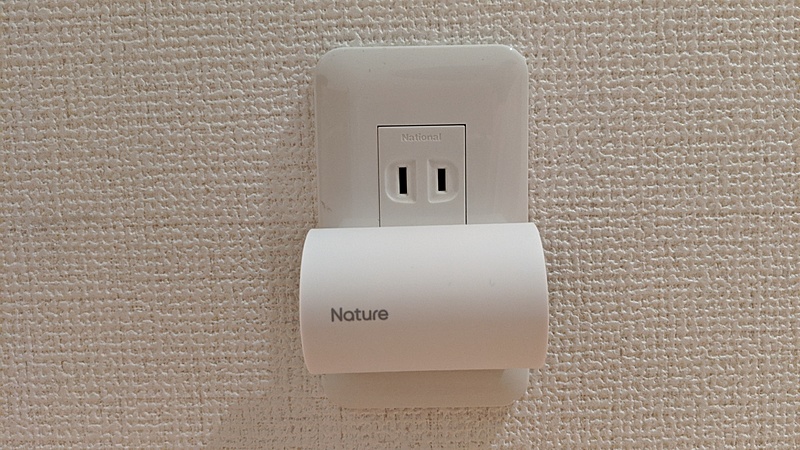
It's quite strange, but you can get data from the electricity meter (smart meter) just with this.
However, there are conditions, and the home's electricity meter needs to be a smart meter.
It's easy to check whether your home's electricity meter is a smart meter by checking whether it has a rotating circular part like a disk attached to the power meter.
If it's spinning round and round, if it doesn't have a disk attached, it's a smart meter instead of a smart meter with a disk.
My house already had a smart meter.
By the way, the transition to smart meters is progressing gradually, and it seems that all power meters will be converted to smart meters by 2024.
In addition, if you request it again, they will prioritize carrying out the replacement work, and they will also change it if you switch to another electric company due to the liberalization of electricity.
Since smart metering has not yet been implemented, those who want to use the Nature Remo E lite might consider it.
In the case of traditional analog electricity meters, the electricity company needs to check the meter once a month, but with smart meters, the electricity company can collect data through the internet.
In other words, we are moving towards smart metering to reduce costs.
And there are several data communication routes available for smart meters, including "A Route" for communication with power companies and related companies, and "B Route" for communication with users.
With Nature Remo E lite, this is used.
The communication on this B route uses the wireless communication standard "Wi-SUN", and it appears that this standard is also used for communication between the Nature Remo E lite and the smart meter.
(Therefore, the manual said to install it as close to a smart meter as possible, such as in the entrance door.)
##Setting up the Nature Remo E lite
While we won't go into much detail here, you will need to perform the following 2 steps as part of the initial setup.
- Applying for B-route access
- Configuring the device
- Creating an API access token
###Applying for B-route access
First, you need to sign up for the B-route service for smart meters.
And this is where it takes the most time.
I remember it taking 2 to 3 weeks.
Since there are no issuance fees or other charges, people who want to try using Nature Remo E lite even a little should register in advance.
The application procedure varies depending on the electric power company, but this site can be a reference.
###Configuring the device
Next, perform the initial setup for the Nature Remo E lite itself.
Connect the main unit to the power outlet and perform the initial setup using the Nature Remo app.
At that time, for some reason, I experienced a problem where Bluetooth couldn't connect very well.
After restarting the smartphone and restarting the Nature Remo E lite, the connection was successfully established.
The details on this site are clear.
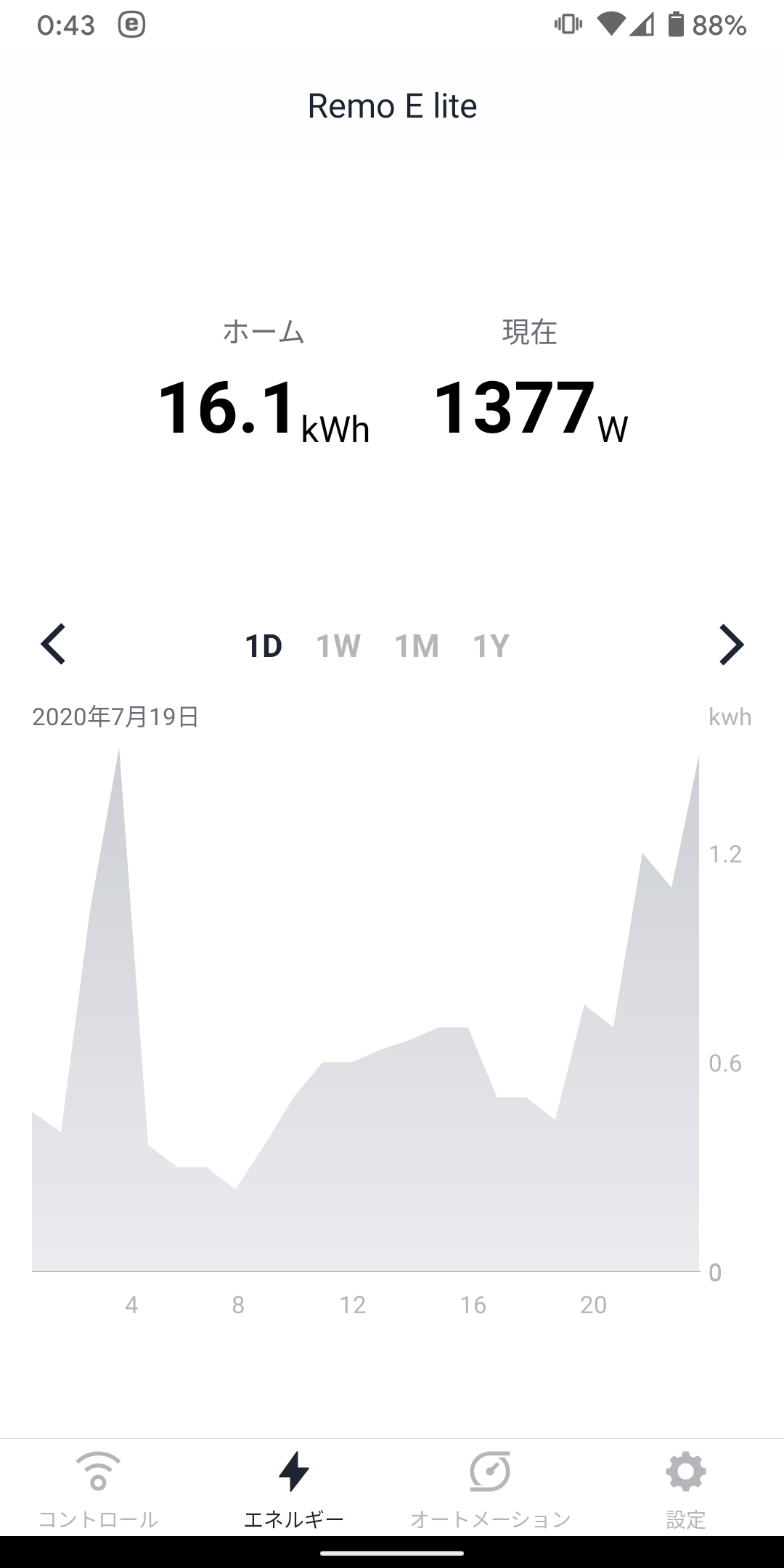
Once the settings are completed, you will be able to view real-time power consumption and graphs for a certain period of time on the app as shown above.
###Creating an API access token
You can check the information just through the app, but I would like to make the most of this information if possible.
Nature Remo E lite supports data retrieval via REST API, and in order to do so, an API access token needs to be issued.
Access tokens can be obtained from here.
I think you can intuitively understand the settings since they aren't difficult to understand, but if you don't understand, it's good to refer to this site.
If you execute the following command and confirm that the JSON format data is returned, it is OK.
$ curl -X GET "https://api.nature.global/1/appliances" -H "Authorization: Bearer [ACCESS_TOKEN]"
##Reading Nature Remo E lite data with go-remoe
I was able to confirm what can be obtained with curl, but it would be more convenient if it could be called from a programming language.
I found examples of retrieving data in Python when searching online, but I couldn't find any examples written in the GO programming language, so I decided to create a package for the GO programming language.
The repository is publicly available here.
I have only created basic functions so far, but I will want to expand them in the future if necessary.

A client for Nature Remo
You can also check GoDoc at the following page.
I haven't written it very well, but I think I can confirm what types of structures and functions there are.
Let me briefly explain how to use it.
To call it, you need to include the following import statement.
import "github.com/reeve0930/go-remoe"
Start by creating a client for the API:
client := remoe.NewClient("YOUR_REMO_ACCESS_TOKEN")
Call GetRawData to retrieve the readings.
data, err := client.GetRawData()
The result is a slice of the following RawData struct.
You get one entry per smart meter.
type RawData struct {
    ModelID                                  string
    Coefficient                              int
    CumulativeElectricEnergyEffectiveDigits  int
    CumulativeElectricEnergyUnit             int
    NormalDirectionCumulativeElectricEnergy  int
    ReverseDirectionCumulativeElectricEnergy int
    MeasuredInstantaneous                    int
}
Here’s what the fields represent:
- ModelID: the smart meter identifier
- Coefficient: the scale factor
- CumulativeElectricEnergyEffectiveDigits: number of significant digits in the cumulative energy reading
- CumulativeElectricEnergyUnit: unit of the cumulative energy reading
- NormalDirectionCumulativeElectricEnergy: cumulative energy in the forward direction
- ReverseDirectionCumulativeElectricEnergy: cumulative energy in the reverse direction
- MeasuredInstantaneous: instantaneous power
Of these, MeasuredInstantaneous is the easiest to use directly.
It gives the power at the time of the reading, in watts (W).
Nature’s documentation explains how to interpret the remaining fields:
As the documentation shows, finding the energy used over an interval takes a little more work.
I wrote a helper to do that calculation.
This example uses the first meter in data.
If you have several meters, apply the same calculation to each entry.
data, err := client.GetRawData()
p0 := remoe.GetPowerCunsumption(data[0])

time.Sleep(1 * time.Hour) // Measure the energy consumed over one hour

data, err := client.GetRawData()
p := remoe.GetPowerCunsumptionDiff(data[0], p0)
GetPowerCunsumption returns the cumulative energy at the time of the reading, in kilowatt-hours (kWh).
Pass the new RawData reading and the initial cumulative energy value to GetPowerCunsumptionDiff.
The difference tells you how much energy was consumed over the interval.
Why not just subtract the readings? The meter’s cumulative register rolls over when it reaches its limit.
The helper accounts for that rollover when calculating the difference.
I like how even the maximum reading is expressed in decimal digits, a holdover from analog electricity meters.
##Wrapping up
That’s go-remoe, my Go package for working with the Nature Remo E lite.
So far it covers the basics. If you need another feature, open a GitHub issue and I may be able to add it.